7 min read#ai#agents#programming#productivity#security#claude-code#mcp#direnv
How I Run Multiple Claude Code Accounts From One Terminal
Use direnv and CLAUDE_CONFIG_DIR to switch Claude Code accounts and profiles by folder, then use the same setup to isolate MCP credentials for personal, org, and client work.
The first problem sounds simple: you have more than one Claude Code account.
Maybe one is personal and one belongs to your company. Maybe you use Claude Max personally but your org wants work to happen under its own account. Maybe you freelance and each client expects a clean boundary.
You can solve that with shell aliases.
But the better version is quieter: let the folder choose the Claude Code profile.
Once you do that, the trick opens up. It is not only for multiple Claude accounts. The same setup lets you keep different MCP credentials, GitHub orgs, Slack workspaces, Linear teams, Sentry projects, and customer tools separated without thinking about it every time you open a repo.
The small mechanism is direnv plus CLAUDE_CONFIG_DIR.
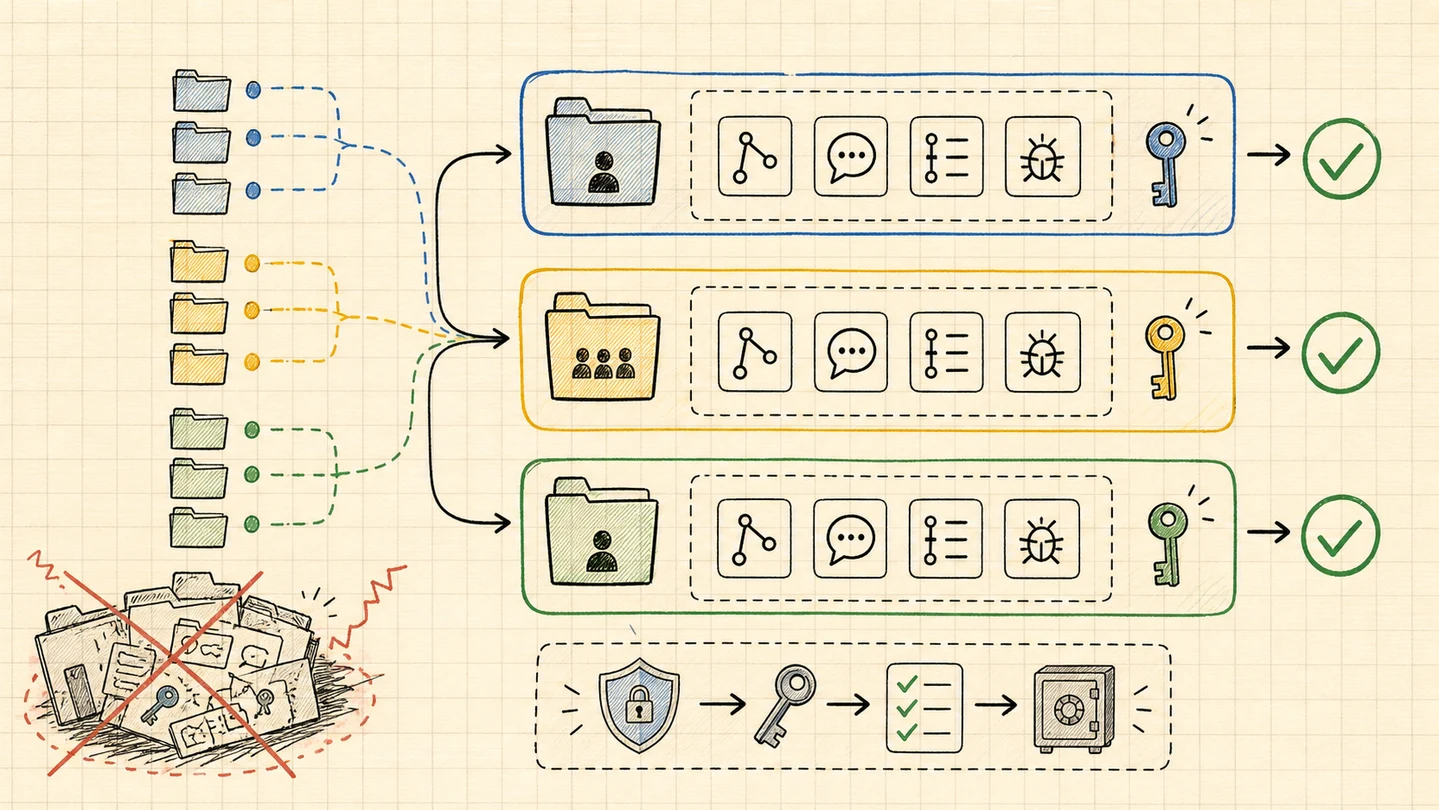
The bigger idea is that Claude Code should run inside the same trust boundary as the folder you are in.
Key Takeaways
- Run multiple Claude Code accounts from one terminal without manual login/logout
- Use one Claude Code profile per trust boundary, not one profile per repo
- Put
.envrcin parent folders like~/personal,~/work/company, or~/clients/acme- Every repo under that folder can reuse the right Claude account, MCP auth, history, settings, and tool permissions
- Split profiles when GitHub, Slack, Linear, Sentry, email, database, or customer credentials should not mix
- Keep shared MCP server definitions in
.mcp.json, but keep private auth in the local profile- This does not make untrusted MCP servers safe; it narrows the blast radius when tools go wrong
Why this is worth caring about
People are already running into the rough edges.
There are Reddit threads about multiple Claude Code accounts on one machine, with people using Docker, shell aliases, and CLAUDE_CONFIG_DIR to keep accounts and config apart.
There are also messier threads where users claim account switching or billing attribution got confusing. Treat that as anecdotal, not a verified platform rule. The useful signal is that manual account switching is fragile, especially when work and personal usage share the same machine.
That is the obvious use case. The less obvious one is MCP.
Someone asked how to handle multiple email accounts through MCP, and the practical answer was basically separate tool auth per account.
Then there are the actual security blunders:
- Postmark published a security alert about a malicious
postmark-mcpnpm package that impersonated Postmark and secretly copied outgoing email to an attacker-controlled address. - Koi Security’s write-up on the same incident is blunt: MCP servers run with the permissions you give them, and an AI assistant may keep using a malicious tool without noticing.
- OX Security published an MCP STDIO command-injection advisory covering command execution issues across MCP-based systems.
The point is not that direnv magically fixes malicious packages. It does not.
The point is that one global Claude profile turns every connected service into one big pile of keys.
Separate profiles make the boundary visible.
The model: profiles are buckets
Do not create a new Claude profile for every repo by default.
Create a profile for every identity or credential boundary.
~/.claude-profiles/
  personal/
  org/
    company/
  clients/
    acme/
    nova/
  sandbox/
Then use direnv at the folder level where that boundary starts.
~/personal/.envrc
~/personal/blog/
~/personal/open-source-tool/

~/work/company/.envrc
~/work/company/web-app/
~/work/company/api/
~/work/company/mobile/

~/clients/acme/.envrc
~/clients/acme/admin/
~/clients/acme/worker/
~/clients/acme/docs/
The Acme repos all use the Acme profile. The company repos all use the company profile. Your personal repos all use the personal profile.
You only split further when the credentials need to split further.
This works because direnv checks the current directory and parent directories for an authorized .envrc, then loads and unloads those variables as you move around your filesystem.
Claude Code supports CLAUDE_CONFIG_DIR, which changes where Claude stores profile state. Claude’s .claude docs also say that when CLAUDE_CONFIG_DIR is set, the normal ~/.claude paths live under that configured directory instead.
That means a folder can choose the Claude Code home directory.
Setup once per boundary
Create the profile directories:
mkdir -p ~/.claude-profiles/personal
mkdir -p ~/.claude-profiles/org/company
mkdir -p ~/.claude-profiles/clients/acme
mkdir -p ~/.claude-profiles/sandbox
Put .envrc in the parent folder, not every child repo:
# ~/clients/acme/.envrc
export CLAUDE_CONFIG_DIR="$HOME/.claude-profiles/clients/acme"
Approve it once:
cd ~/clients/acme
direnv allow
Now any repo under ~/clients/acme gets the Acme Claude profile:
cd ~/clients/acme/admin
claude
First run, log in and authenticate the MCP tools for that boundary:
/login
/mcp
After that, the workflow is boring. You cd into a folder and run claude.
Use case 1: personal vs company
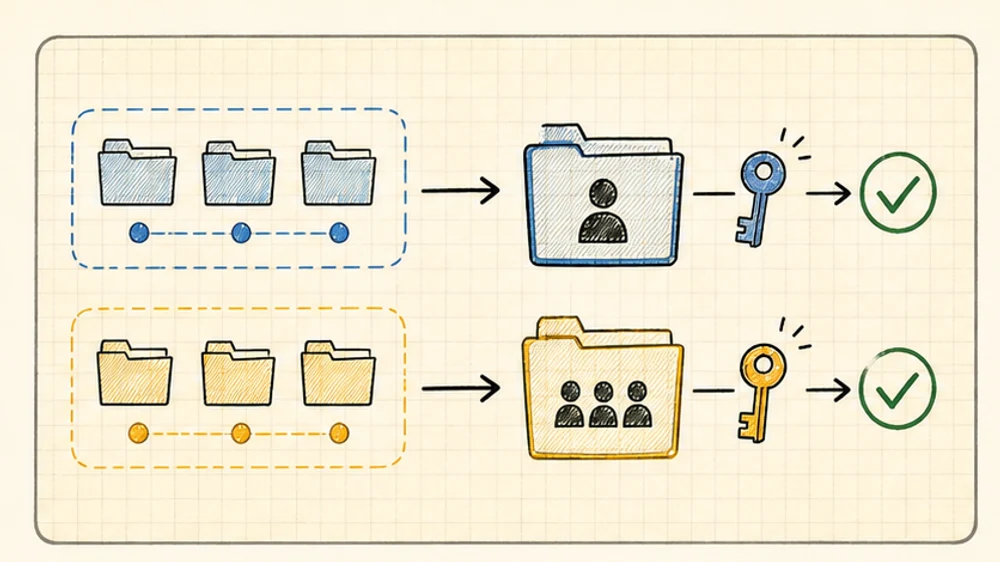
This is the cleanest split.
Your personal folder points to your personal profile:
# ~/personal/.envrc
export CLAUDE_CONFIG_DIR="$HOME/.claude-profiles/personal"
Your company folder points to your company profile:
# ~/work/company/.envrc
export CLAUDE_CONFIG_DIR="$HOME/.claude-profiles/org/company"
Now your side projects can use your personal Claude account, personal GitHub, personal notes, personal MCP tools, and whatever experimental setup you are playing with.
Your company repos can use the org-approved account, org-safe MCP servers, work GitHub, work Slack, work Linear, and company settings.
This is not only about billing.
It is about not letting your personal toolchain become invisible background state inside a work repo.
Use case 2: same Claude account, different service auth
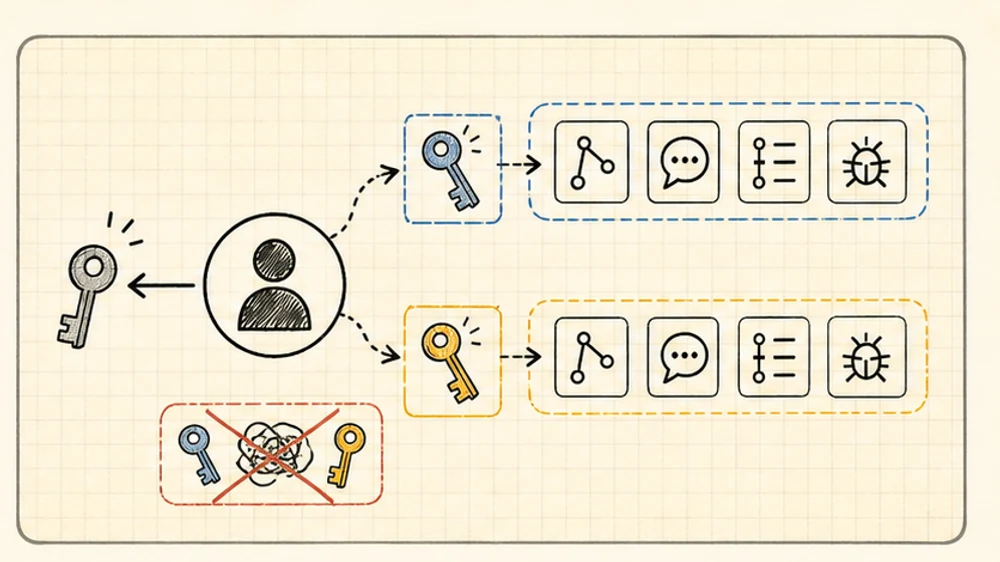
You may only have one Claude account.
That is fine. This pattern still matters.
The profile does not only isolate Claude login. It also isolates Claude Code settings, history, local config, plugins, and MCP auth state.
Maybe two products use the same Claude subscription but different services:
Product A profile:
  GitHub org A
  Slack workspace A
  Linear team A
  Sentry org A

Product B profile:
  GitHub org B
  Slack workspace B
  Linear team B
  Sentry org B
Those should not be one profile.
The failure mode is simple:
- “Find the Linear issue” searches the wrong team
- “Check the deploy thread” reads the wrong Slack
- “Look at Sentry” opens the wrong org
- “Create a GitHub issue” writes to the wrong repo
Same Claude account. Different tool identities.
That is enough reason to split.
Use case 3: freelancers with client boundaries
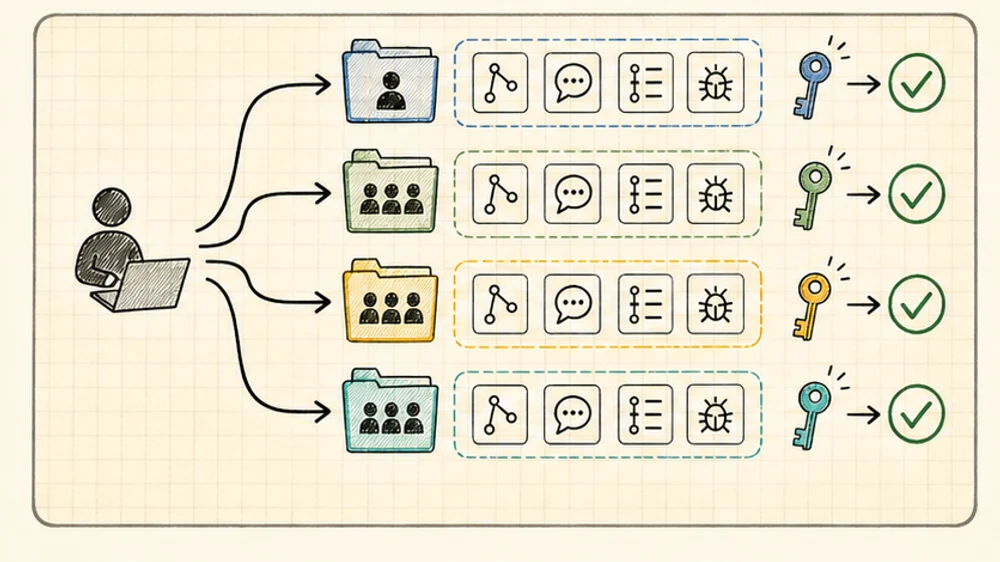
Freelance and client work is where this stops being a nice trick.
Each client should get its own profile:
~/.claude-profiles/clients/acme
~/.claude-profiles/clients/nova
~/.claude-profiles/clients/orbit
Each client folder gets one .envrc:
# ~/clients/acme/.envrc
export CLAUDE_CONFIG_DIR="$HOME/.claude-profiles/clients/acme"
All Acme repos can reuse the Acme profile:
~/clients/acme/admin
~/clients/acme/api
~/clients/acme/worker
~/clients/acme/docs
There is no need to create acme-admin, acme-api, and acme-worker profiles unless those repos genuinely use different service credentials.
This keeps the important stuff separated:
- client GitHub orgs
- client Slack workspaces
- client Linear teams
- client Sentry orgs
- customer support tools
- per-client Claude Code history and permissions
Offboarding is cleaner too. When Acme ends, revoke Acme OAuth access and archive the Acme profile. You are not trying to remember which parts of a global Claude setup belonged to which client.
Use case 4: shared MCP definitions, private credentials
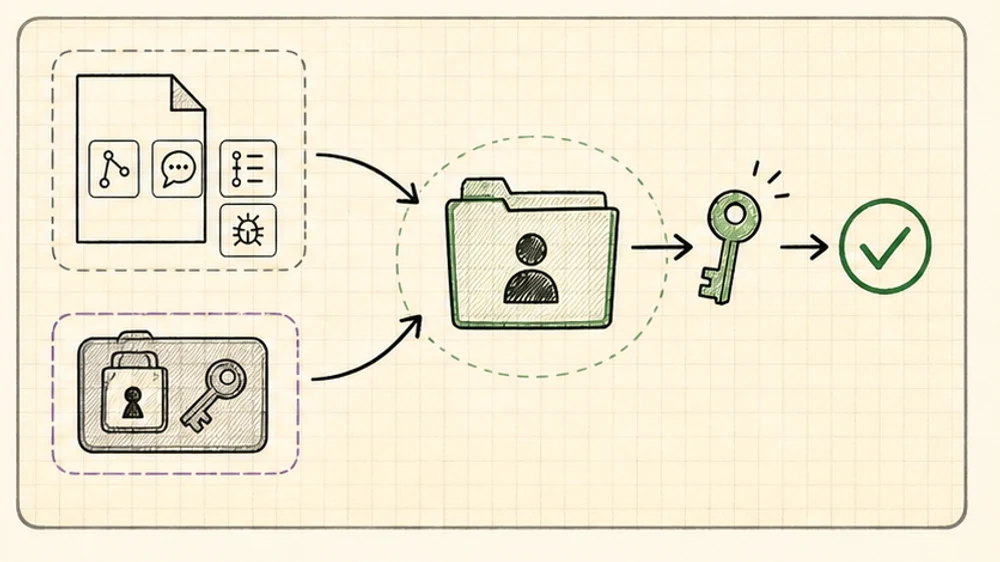
Claude Code supports MCP scopes: local, project, and user.
The useful team pattern is:
- project scope for shared server definitions
- local or user scope for personal setup
- profile-specific OAuth through
/mcp - no real secrets committed to Git
Project-scoped MCP creates or updates .mcp.json, which is meant to be shared with the team.
That file should answer:
Which MCP servers does this repo use?
It should not answer:
Whose Slack, Linear, GitHub, Sentry, database, or email account should Claude use?
That belongs to the developer’s profile.
Claude Code’s MCP docs also support environment variable expansion in .mcp.json, including URLs, headers, and env values. That is useful for shared structure. It is not permission to commit credentials.
Keep the definition shared. Keep the auth local.
Optional split: sandbox and production
Once you have the pattern, two extra profiles are often useful.
Sandbox:
export CLAUDE_CONFIG_DIR="$HOME/.claude-profiles/sandbox"Use this for trying unknown MCP servers, random plugins, hook experiments, or anything you do not want in your daily profile.
Production or support:
export CLAUDE_CONFIG_DIR="$HOME/.claude-profiles/org/company-support"Use this when the same repo sometimes needs safer, narrower access. For example: read-only Sentry, support Slack, no write-capable deployment tools, no experimental MCP servers.
You do not need this everywhere.
But the safest profile is often the one that simply does not have the dangerous tool installed.
What belongs where?
| Layer | What it should own |
|---|---|
Parent .envrc |
Select the Claude profile for a folder tree |
CLAUDE_CONFIG_DIR |
Claude Code login, settings, history, plugins, rules, and profile state |
.mcp.json |
Shared MCP server definitions for a repo |
/mcp auth |
OAuth/account connection for the active profile |
| Git repo config | Commit name/email and repo-local Git behavior |
The line I care about is the first one.
Put .envrc where the trust boundary starts.
Not necessarily in every repo.
A good default layout
For most people:
~/personal/.envrc
~/work/company/.envrc
~/scratch/.envrc
For freelancers:
~/clients/acme/.envrc
~/clients/nova/.envrc
~/clients/orbit/.envrc
For each .envrc, point at one reusable profile folder:
export CLAUDE_CONFIG_DIR="$HOME/.claude-profiles/clients/acme"Then stop thinking about it.
If you are in an Acme repo, Claude gets Acme’s context.
If you are in your personal repo, Claude gets personal context.
If you are in the company repo, Claude gets company context.
The folder tree chooses the identity.
The whole point
Claude Code is no longer just a code editor with a chat box.
Once you connect MCP, it becomes a tool operator. It can read tickets, inspect errors, search messages, query systems, and sometimes take action.
So the question is not only:
Which model should I use?
It is:
Which identity and tool boundary should this repo run inside?
My answer is simple: let the folder decide.