11 min read#accessibility#a11y#ai#webdev#react#programming
AI Is Quietly Breaking the Web for 1 in 6 People (And No One's Reviewing It)
AI ships accessible-looking UI fast, then skips the exact things that get you sued: alt text, keyboard nav, contrast, form labels. Web accessibility lawsuits jumped 27% in 2025. Here is what frameworks carry for free, what you still own, and what I learned building Google's booking apps with Axe and JAWS, keyboard-only and screen-reader-only for months.
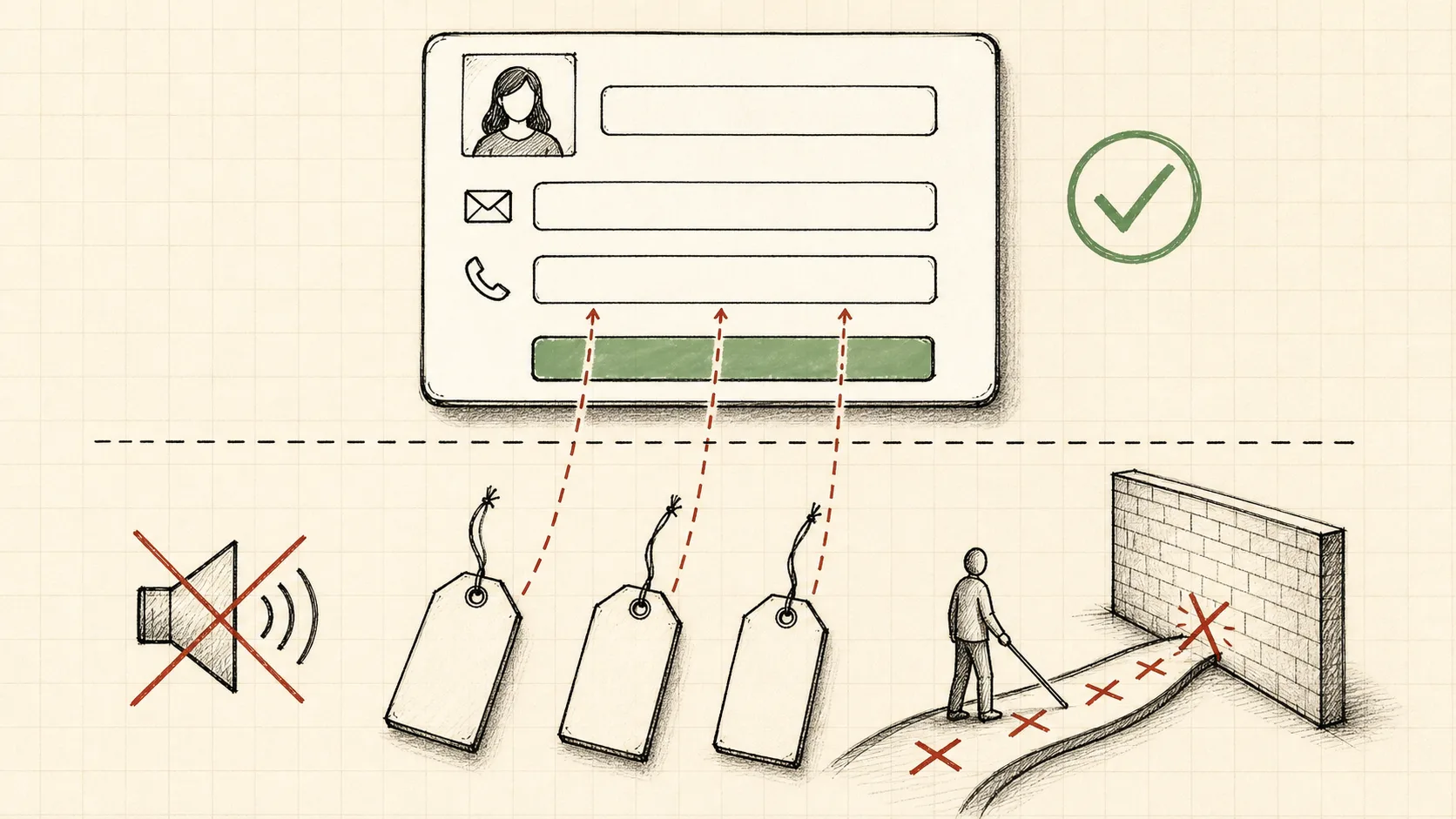
The form looked perfect. Clean labels, generous spacing, a confident blue submit button.
Then I turned on a screen reader. Silence. No field names, no error announcements, just a blank wall a blind user cannot see around.
That form was generated by AI in about four seconds. It will ship. Nobody will check the part that broke.
In 2026, 95.9% of the top one million home pages have detectable WCAG failures, at an average of 56 errors per page. For years that number got a little better. This year it reversed and got worse.
The web is being generated faster than anyone can read it. And the part AI quietly skips is the part 1 in 6 people depend on.
Key Takeaways
- AI ships accessible-looking UI fast, then skips the layer you cannot see: labels, alt text, focus order, custom components.
- Headless frameworks like Radix and shadcn carry a lot of accessibility for free, and most developers do not know it is happening.
- The issues AI skips are the same ones that get you sued: missing alt text, broken keyboard nav, poor contrast, missing form labels.
- Accessibility lawsuits jumped 27% in 2025, and ADA Title II deadlines land between 2026 and 2028.
- Accessibility has to be an input while the AI writes the code, not a test you run at the end.
The code is being written faster than anyone can check it
2025 was the biggest year for code creation in history. Developers created more than 121 million new repositories and pushed close to a billion commits, with a new developer joining GitHub every second.
A lot of that code is not written by humans anymore. Roughly 41% of new code is AI-generated, and most of it ships without meaningful review.
AI-generated commits have gone vertical. Nvidia’s CEO put the count at around 1.4 billion in early 2026, up from a few hundred million two years earlier.
Here is the uncomfortable part. The curve of code being generated and the curve of accessibility debt are the same curve. Every form or modal that ships without a real review adds to a pile nobody is measuring.
We are not slowly accruing this debt. We are minting it at machine speed.
Most people shipping UI have never heard of a screen reader
A new wave of builders is shipping real products without ever learning that focus order, ARIA, or screen readers exist.
They are not lazy. Nobody showed them the layer. The tools made the visible part so easy that the invisible part became invisible to the builder too.
So they prompt, they ship, and the result looks flawless on their screen. The keyboard user, the screen reader user, the person who zoomed to 200% never enters the picture.
Frameworks are holding the fort, and most developers do not even know it. When the result is accessible, it is often by accident. When it is not, nobody in the loop can tell.
That accident is worth understanding, because it is the only thing standing between AI output and a completely broken web.
Your framework is quietly doing the accessibility work
Most models are trained heavily on Tailwind, shadcn, and the Radix primitives underneath them. Radix is headless and accessible at its core, so the AI inherits good behavior without reasoning about it.
Focus traps in dialogs, roving focus in menus, keyboard navigation in tabs and dropdowns, live-region announcements for toasts. These follow the WAI-ARIA Authoring Practices, and you get them for free the moment you reach for the component.
Material UI did the same thing in its era. The accessible behavior was baked into the component, not bolted on by the person using it.
So building with AI on top of a mature component library is not a total loss for accessibility. A surprising amount of the hard interaction work is already handled.
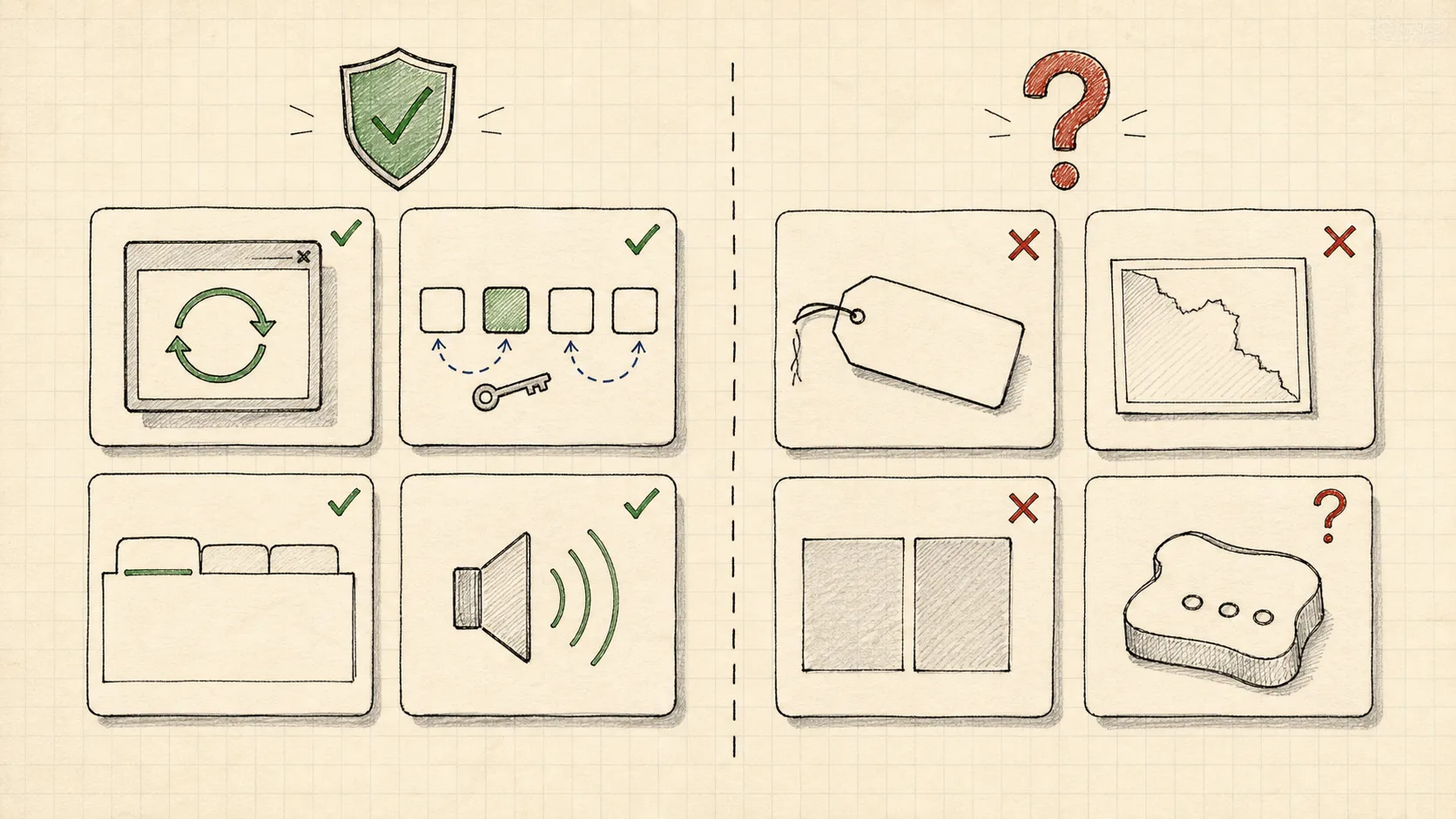
The catch is that the framework only carries the parts that live inside the framework.
What the framework will not do for you
No primitive can guess the accessible name of your button. No library can write the alt text that actually describes your image. No component can pick colors that pass contrast for you.
This is the layer you still own: aria-labels, captions, meaningful alt text, the lang attribute, and every custom component or bespoke layout the AI invents on its own. It is exactly where AI quietly drops the ball.
Look at what actually fails out there. The WebAIM Million measures the most common WCAG failures, and almost all of them sit in the layer no framework owns.
Map those failures against what the framework covers, and the gap is obvious.
| WebAIM top failure | Framework usually covers | You still own |
|---|---|---|
| Low contrast text (83.9%) | No, it follows your tokens | Your color choices |
| Missing alt text (53.1%) | No | Every meaningful image |
| Missing form labels (51%) | Partly, the field component | The label text and association |
| Empty links (46.3%) | No | Accessible link text |
| Empty buttons (30.6%) | Partly, the primitive’s slot | The button’s accessible name |
| Missing page language (13.5%) | No | The html lang attribute |
AI does not skip the accessibility you can see. It skips the accessibility you cannot.
I built this layer by hand for Google
From 2019 to 2020, through Appointy, I led the accessibility work on two scheduling products we built for Google’s internal employees. At the time that was roughly 300,000 people using them.
One was a massage booking system with points, equipment, and modality filters. The other was a fitness class platform with recurring classes, buddy bookings, and capacity tracking.
There was no Radix to lean on. We built it on Material UI and a large hand-built component library: a custom date picker, a multi-step wizard, tabs, a data grid. Material UI carried a lot by default. Every custom component and every label was mine to get right.
To actually understand the product, I changed how I used it. One month I used only the keyboard, no mouse. The next month only the mouse, no keyboard. Then a stretch with JAWS and my eyes closed, navigating purely by sound.
That is when it stopped being a checklist. A date picker that looked obvious turned into a maze when the only signal was a screen reader reading cell after cell with no anchor.
We tested with Axe DevTools for the automated catches and JAWS for the truth automation could not reach. We shipped weekly, stayed in direct contact with the Google team, and got real-time feedback from employees who relied on assistive tech every day.
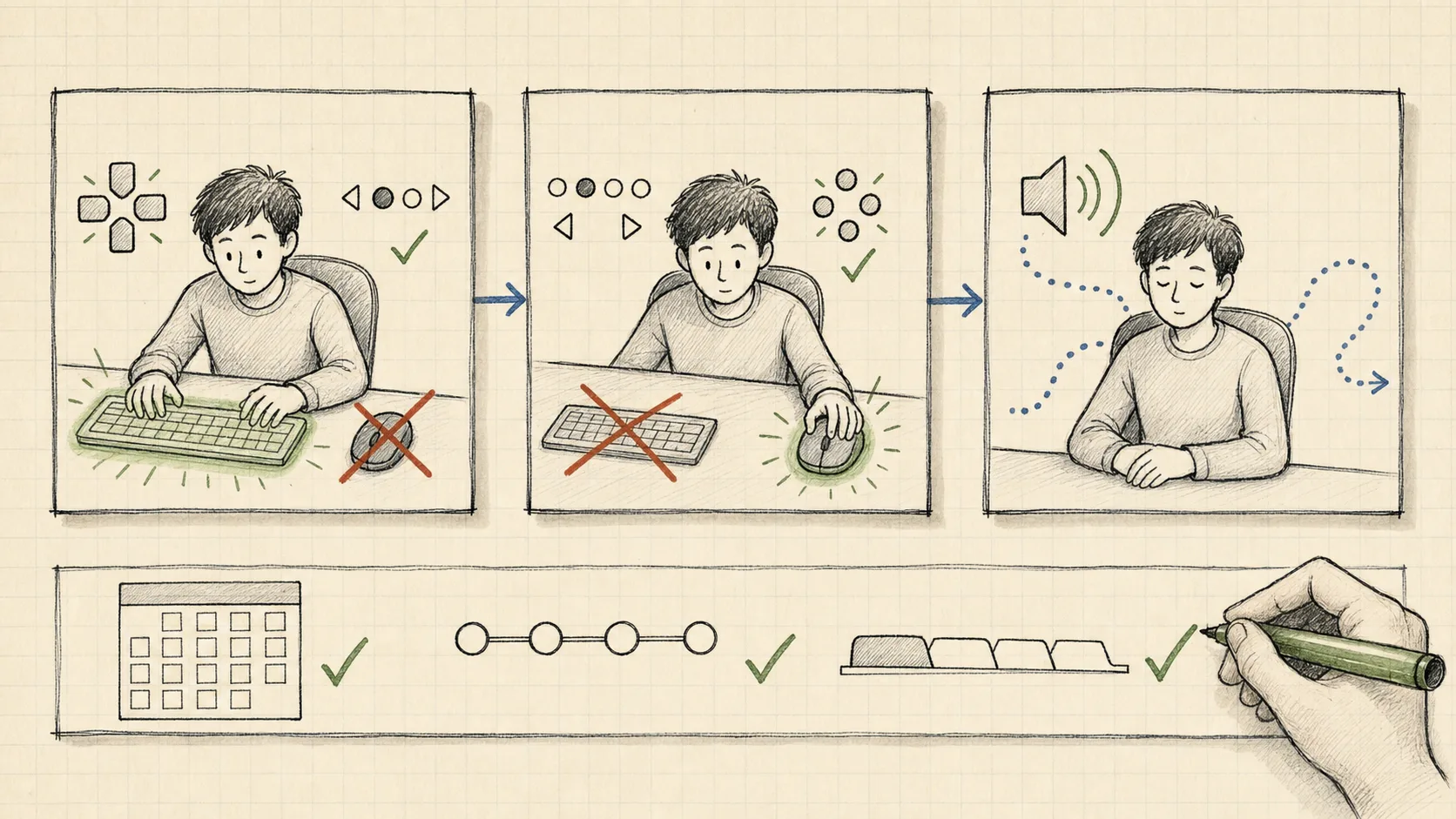
None of that was free. It was months of deliberate, unglamorous work on the exact layer AI generates and then walks past.
Why font icons quietly died
Here is a small decision that shows the kind of judgment AI does not make on its own.
The web used to render icons with icon fonts. They were always a hack. A screen reader could read a decorative glyph as a random character, and the icon would break the moment a user forced their own font for readability.
GitHub moved its Octicons from a font to inline SVG and wrote up exactly why. SVG lets you give an icon a real accessible name or hide it from the screen reader entirely, and it survives the font overrides accessibility users depend on.
That is why the whole industry moved to embedded SVG. Material UI ships its icons as SVG components, the same ones I used in the Google build.
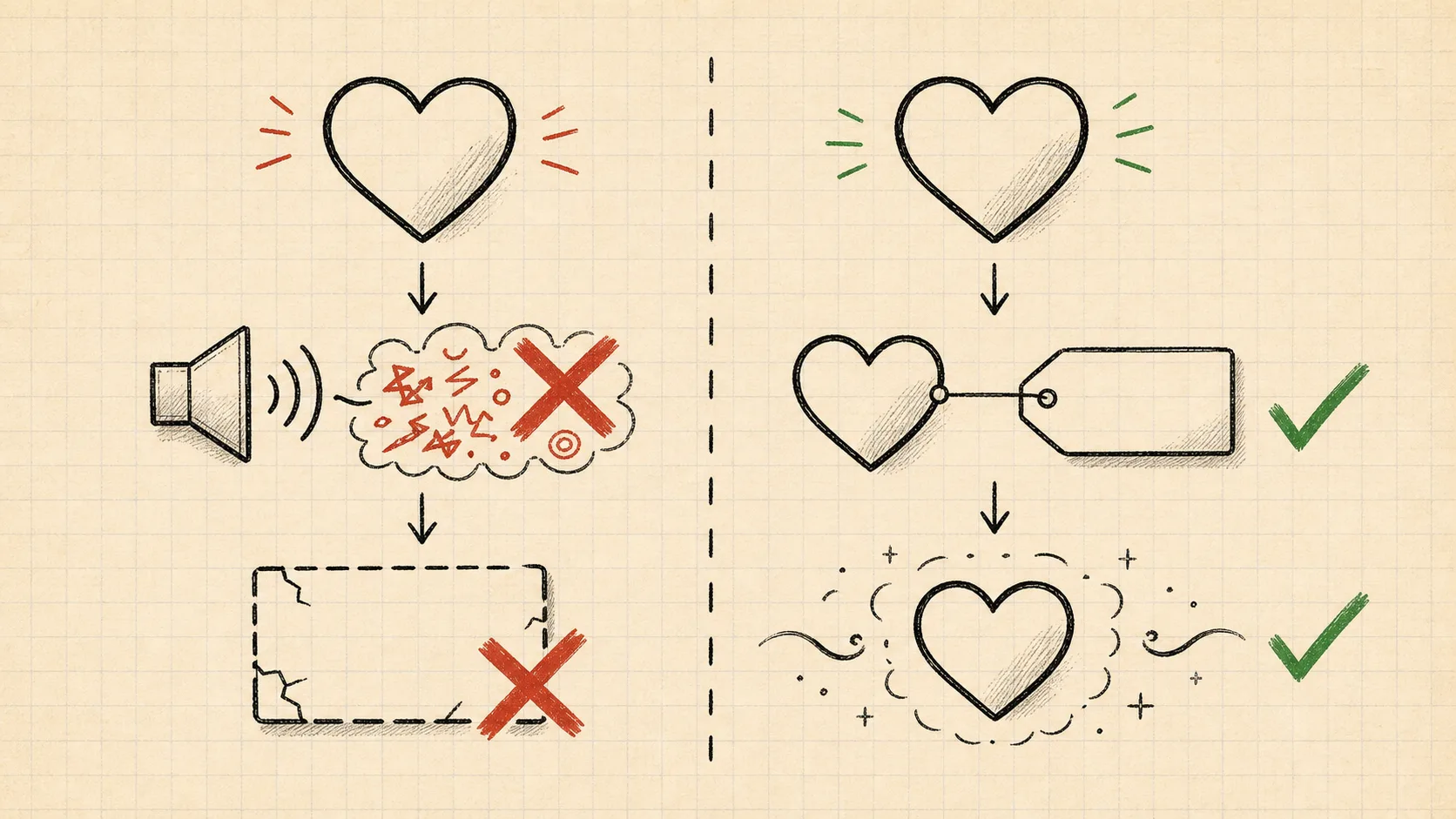
AI will happily generate either approach. It does not weigh which one a blind user can actually live with. That weighing is the part you still have to bring.
AI does not make one mistake. It makes the same mistake everywhere.
A single bad commit is easy to catch. The problem with AI is not the single commit.
It is the same plausible gap repeated across every form and custom widget, multiplied by every generation. The output looks consistent and correct, so nobody opens the hood.
Models are probabilistic. They drift over long contexts, so they skip your project standards even when you wrote them down, especially as a conversation grows and complexity climbs.
This is not just my hunch. The CodeA11y research from CHI 2025 found that developers using AI coding assistants fail to prompt for accessibility, omit manual steps like replacing placeholder attributes, and cannot verify compliance. The researchers had to build a dedicated tool just to nudge the AI toward accessible code and remind humans to validate it by hand.
The debt is not a bug in one place. It is the default behavior, and it lands everywhere the AI writes UI.
The bill is coming due, and it is legal
This stopped being only an ethics conversation. It is now a liability conversation with a deadline.
Website accessibility lawsuits hit 3,117 in US federal court in 2025, up 27% from the year before. Most targeted e-commerce, and the most-cited issues were missing alt text, broken keyboard navigation, poor contrast, and missing form labels.
Read that list again. It is the same list AI skips.
Regulation is arriving at the same time. ADA Title II now codifies WCAG 2.1 AA for state and local government sites and apps, on a real clock.
| Rule | Standard | Who it covers | Deadline |
|---|---|---|---|
| ADA Title II | WCAG 2.1 AA | State and local gov, population 50k+ | April 26, 2027 |
| ADA Title II | WCAG 2.1 AA | Smaller gov and special districts | April 26, 2028 |
| HHS Section 504 | WCAG 2.1 AA | Recipients of HHS funding | May 11, 2026 |
The HHS Section 504 deadline of May 11, 2026 was not extended. The National Federation of the Blind even sued the DOJ and HHS over the delays, arguing they unlawfully block equal access to public services, healthcare, and education.
And no, you cannot script your way out with an overlay widget. The FTC reached a million-dollar settlement with an overlay vendor over misleading compliance claims. The code AI skips is the code that gets you sued.
This is not a niche. It is 1 in 6 people.
It is easy to file accessibility under edge case. The numbers say otherwise.
The WHO estimates that 1.3 billion people, about 1 in 6 of us, live with a significant disability. That figure is growing as populations age and chronic conditions rise.
Add the family members, caregivers, and colleagues affected by those decisions, and the reach is most of your users at some point in their lives.
Years ago I ran a team session using the W3C Web Accessibility Perspectives videos. They are short clips showing how real people experience the web. Watching them flipped my engineers and designers from arguing about WCAG line items to picturing an actual person stuck on a form.
That shift is the whole game. Accessibility is not compliance trivia. It is whether a person can finish what they came to do.
What actually keeps the debt down
I am not anti-AI here. I ship with these tools every day. The point is that accessibility cannot be the thing you check after the AI is done.
What works today is a stack of guardrails, not a single fix. Start on an accessible foundation like Radix or shadcn so the hard interaction work is handled. Run automated checks like Axe in CI so the obvious failures never merge.
Then keep the part automation cannot replace. A real screen reader pass still catches what every scanner misses, because a tool can tell you a label is absent but not that a label is meaningless.
The biggest win is giving the AI accessibility feedback inside the loop: a skill or tool that flags missing labels and bad contrast while the code is being written, not three sprints later in a remediation backlog.
The teams that get this right will bake accessibility into the build from the first prompt. Everyone else will spend the next few years remediating issues that were generated in seconds.
So I will leave you with a question. If you build with AI, has it helped or hurt your accessibility? And be honest: do you test with a screen reader, or do you just trust the output?
If you have never watched a screen reader user hit a wall on your work, start here: W3C Web Accessibility Perspectives.